0:20
Stare-down
Look at the front camera with your eyes open. Blinking is fine, but closing your eyes starts the timer over.
10s20s30s45s
Camera · processed on-device
Awake-athon rings like a normal alarm. The difference is that to turn it off for good, you have to prove you're awake: spell a word, keep your eyes open, or take a few steps. If you go back to sleep, it rings again.
Your alarm goes off. You hit stop without opening your eyes. You wake up forty minutes later, late again. The problem isn't the alarm. It's that turning it off doesn't need you to be awake.
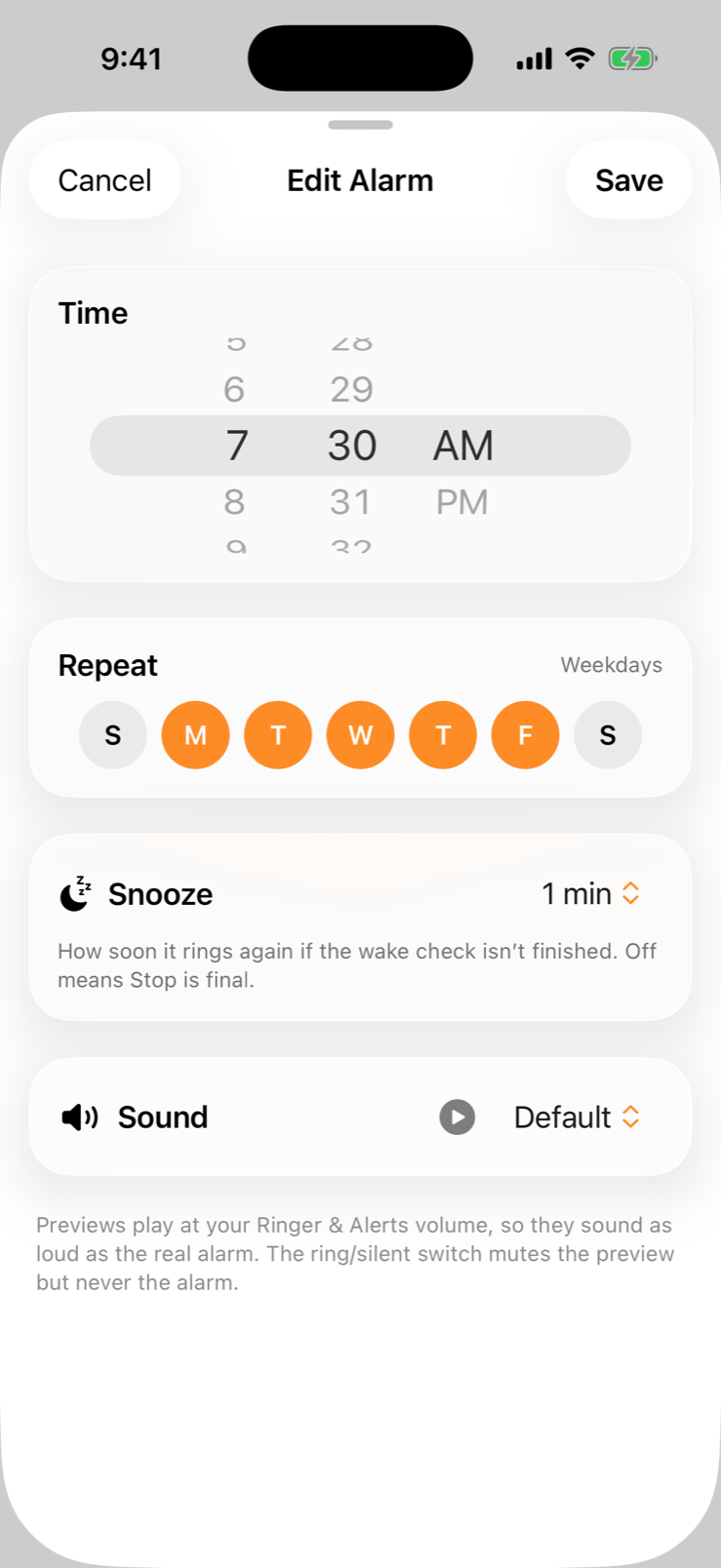
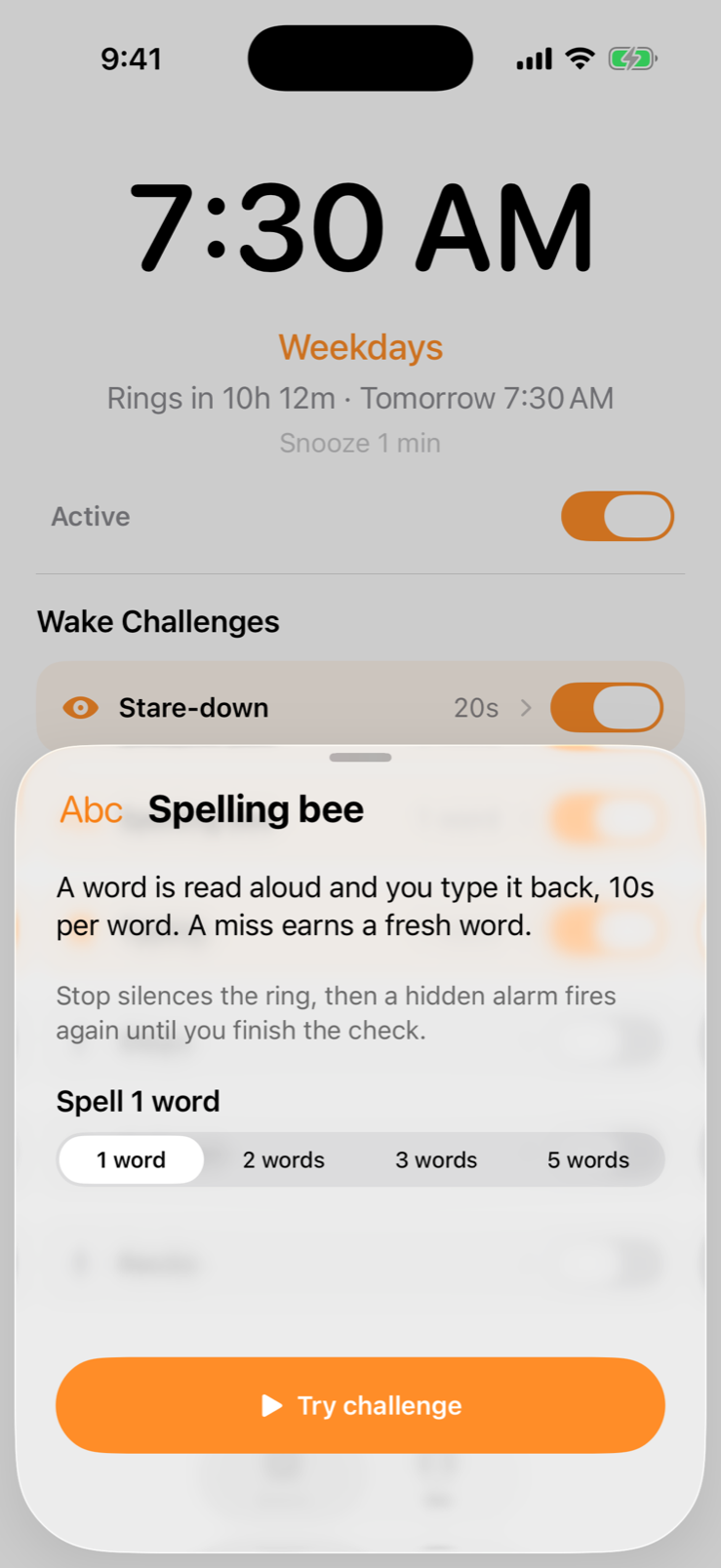
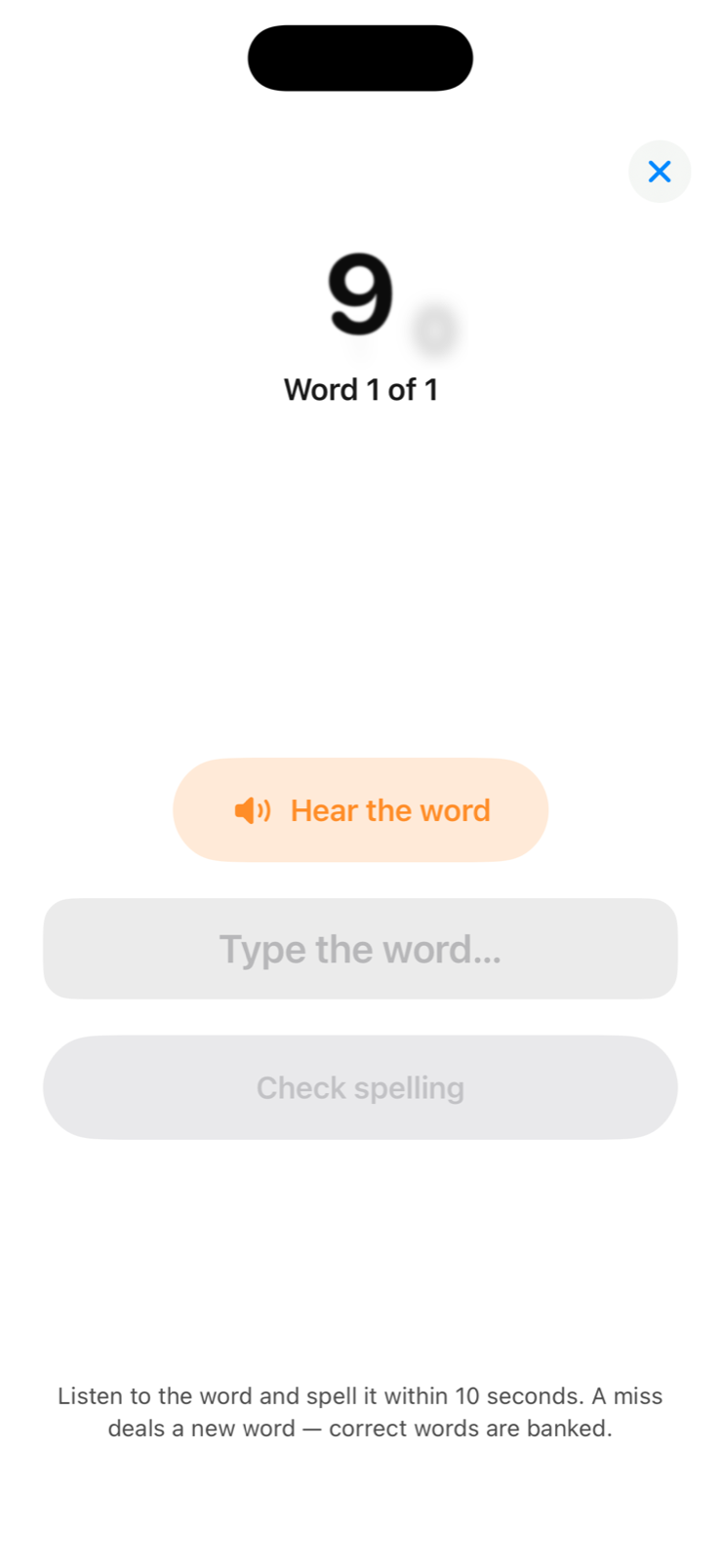
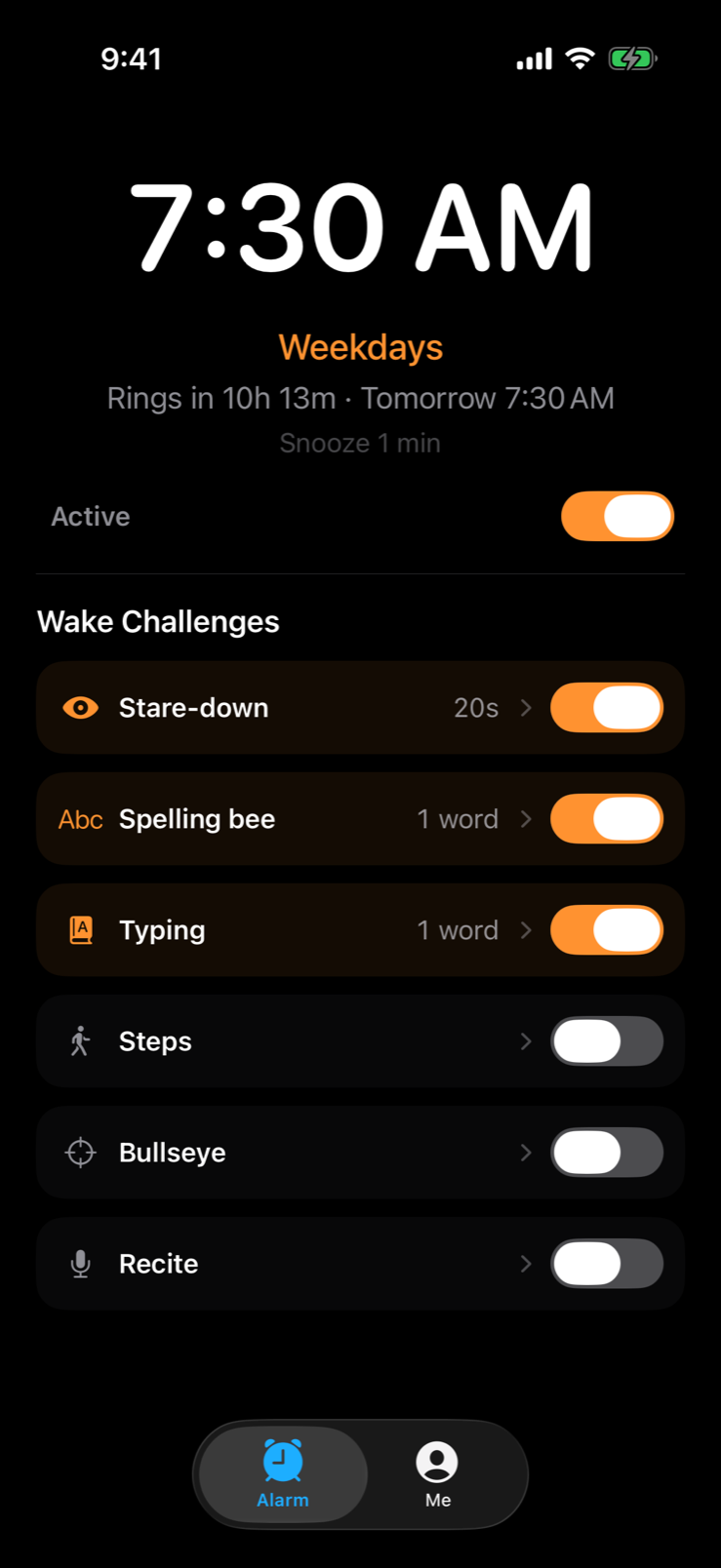
Pick a time and the days it repeats. It works like the Clock app you already know. One alarm, big and clear, with a countdown to when it rings.
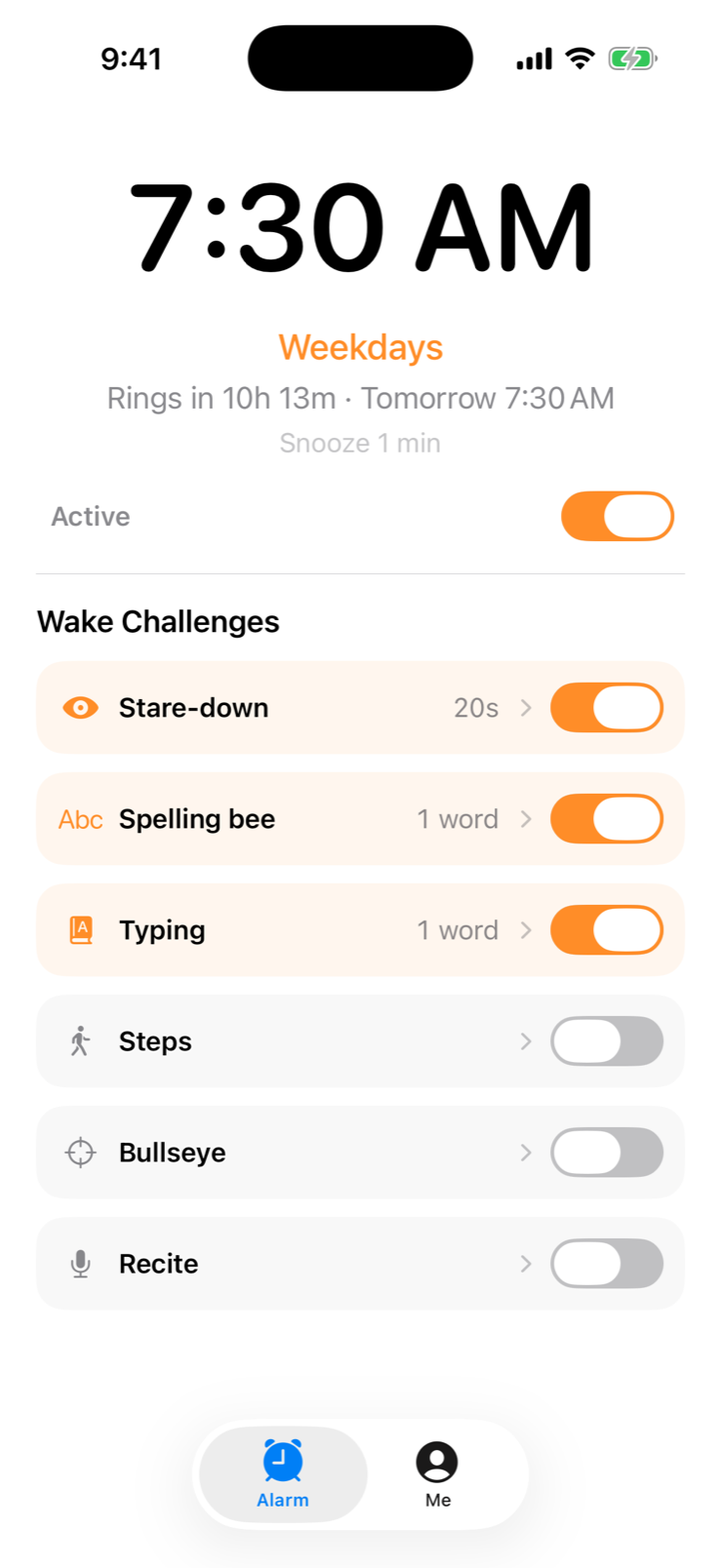
Turn on one challenge or several, and set how hard each one is. Tap Try challenge to practice before tomorrow morning.
When the alarm rings, tap Stop and the noise ends right away. Then finish your challenges. If you don't, the alarm rings again a few minutes later, and it keeps ringing until you do.
Here's what happens if you try to sleep through it.
A full system alarm from Apple's AlarmKit. It rings on silent and in Focus modes.
Lock screen + Live ActivityThe ringing stops right away. Awake-athon then opens your wake challenge.
Silence ≠ doneA backup alarm is already scheduled, so it rings again after your snooze time.
Repeats until you finishNo more alarms, and your wake-up streak goes up by one.
🔥 Streak +1Each one takes less than a minute and needs you actually awake. Pick the ones that work for you.
Look at the front camera with your eyes open. Blinking is fine, but closing your eyes starts the timer over.
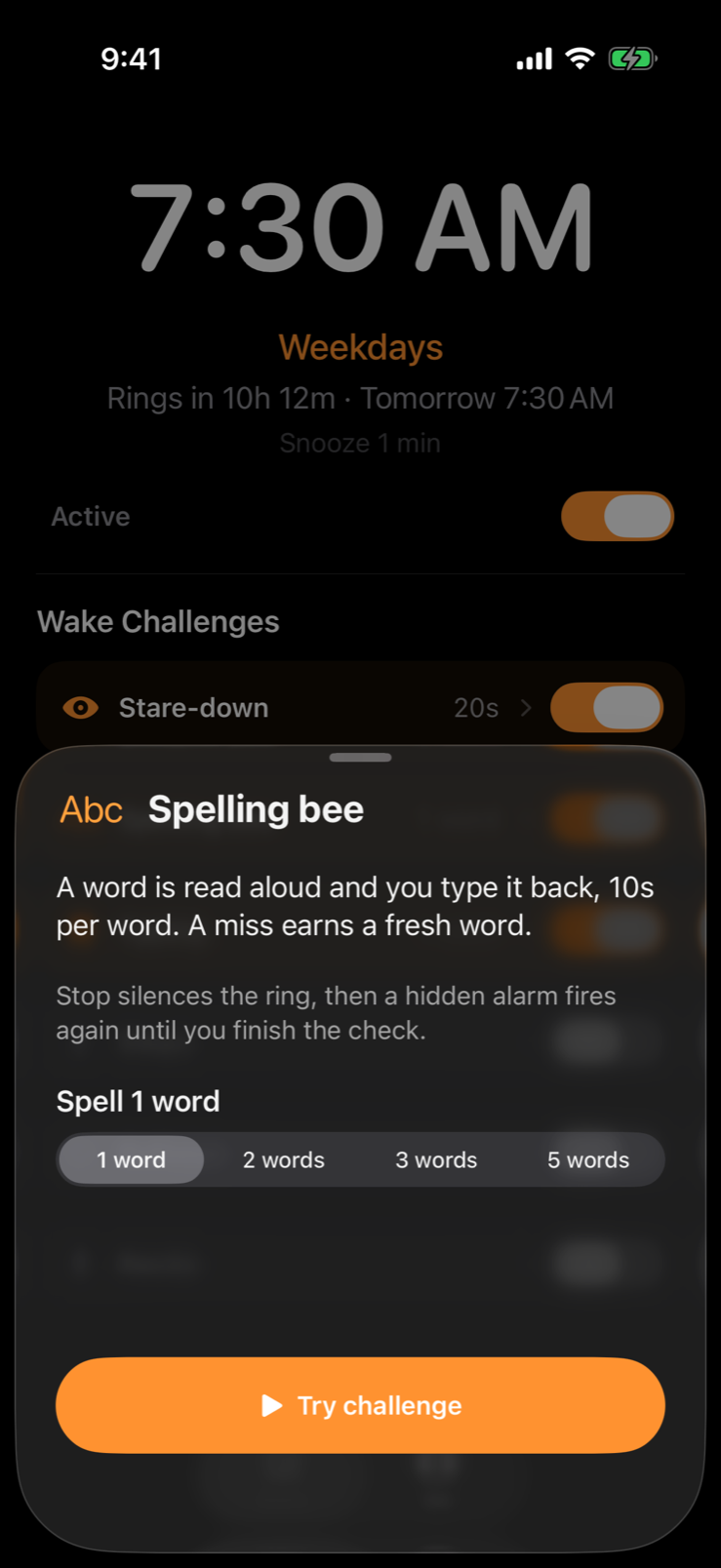
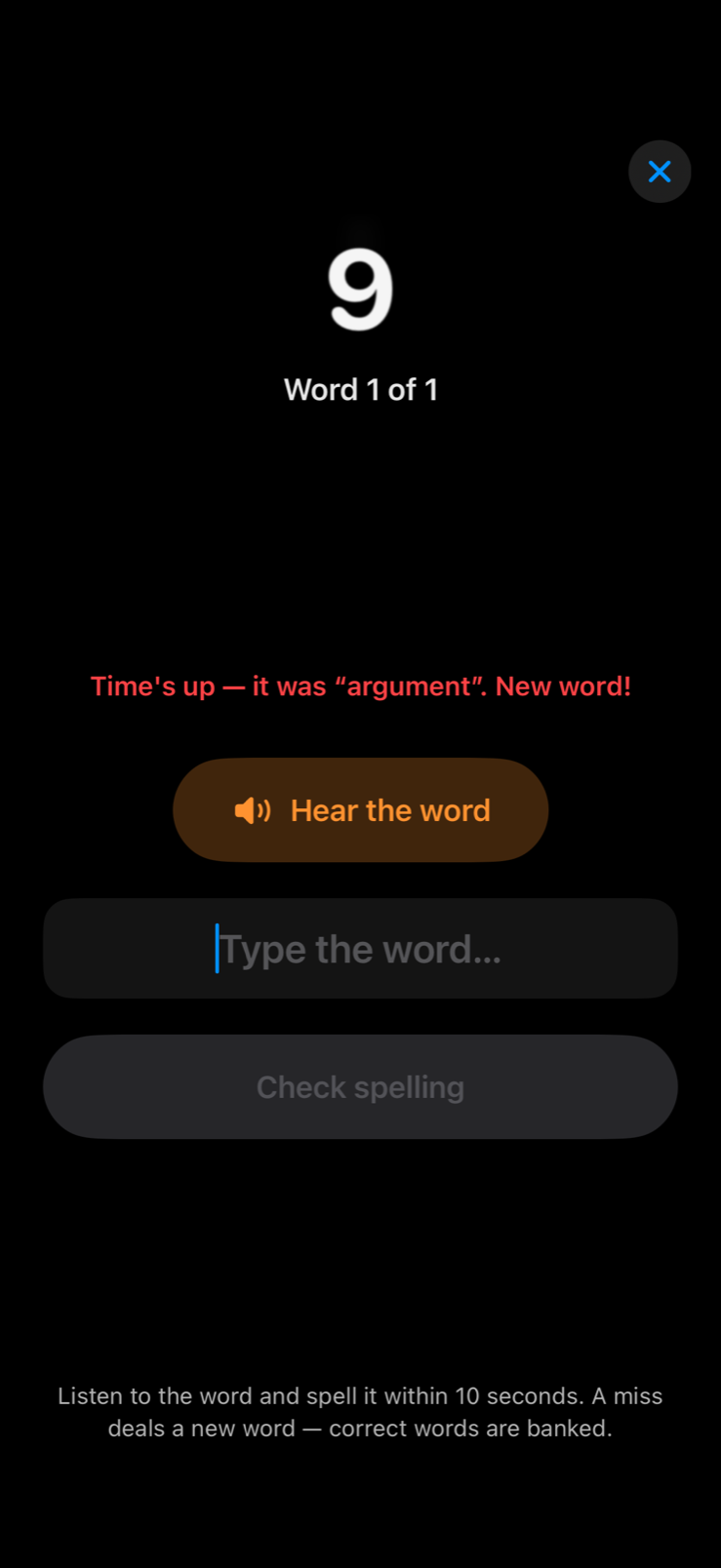
Your phone reads a word out loud and you type it back. You get 10 seconds per word, and a wrong answer gets you a new word.
A long word appears on screen and you type it back exactly. It's hard to do half asleep.
Walk around with the app open. Your phone can be in your hand or your pocket. Shaking it doesn't count.
Hold your phone flat and keep the bubble inside the ring. If your hand wobbles, you lose the time you've built up.
A short phrase appears on screen and you read it out loud. If you mumble, you get a new phrase to read.
Awake-athon matches your iPhone's appearance, or you can set it to Light or Dark. Drag the slider to compare.
 LightDark
When the alarm rings, it shows up on your Lock Screen and in the Dynamic Island. Tapping Stop takes you straight to your challenge.
Every morning you finish your challenge adds a day to your streak. It's based on when your alarm actually rang, so it can't be faked.

See your next alarm at a glance, with a cat peeking in.
Your next alarm, right on your wrist.
Preview sounds at your real alarm volume. The silent switch never mutes the alarm.
Awake-athon has no account and no ads, and it doesn't collect any data. Everything happens on your iPhone.
No sign-up, no accountOpen the app and set an alarm. There's no email or login.
Nothing leaves your phoneAwake-athon doesn't connect to any server. It has no analytics, no trackers and no ads.
Camera and voice stay on-deviceStare-down uses Apple's face tracking and Recite uses on-device speech recognition. No video or audio is saved.
Only asks for what it needsThe app asks for camera, motion or microphone access only when you turn on a challenge that uses it.
Uses Apple's own alarm systemAlarms are scheduled with AlarmKit, the same system the Clock app uses, so they still ring if the app is closed.
Yes. Awake-athon uses Apple's AlarmKit, which is the same alarm system the Clock app uses. It rings with the silent switch on and through Focus modes, even if the app isn't open.
Stop only turns off the sound. If you haven't finished your wake challenge, a backup alarm rings again after your snooze time (1 minute by default, and you can change it). It keeps ringing until you finish.
Yes. Turn off all the challenges and Stop works like a regular alarm. You can turn challenges back on whenever you need them.
No. It uses Apple's face tracking to check whether your eyes are open. That happens on your iPhone, and nothing is saved or sent anywhere. Recite works the same way with on-device speech recognition.
An iPhone running iOS 26 or later. Stare-down needs a Face ID iPhone. The Apple Watch app is optional.
Awake-athon is free. It has no ads, no subscriptions and no in-app purchases.
Free for iPhone. It takes about 30 seconds to set up.